
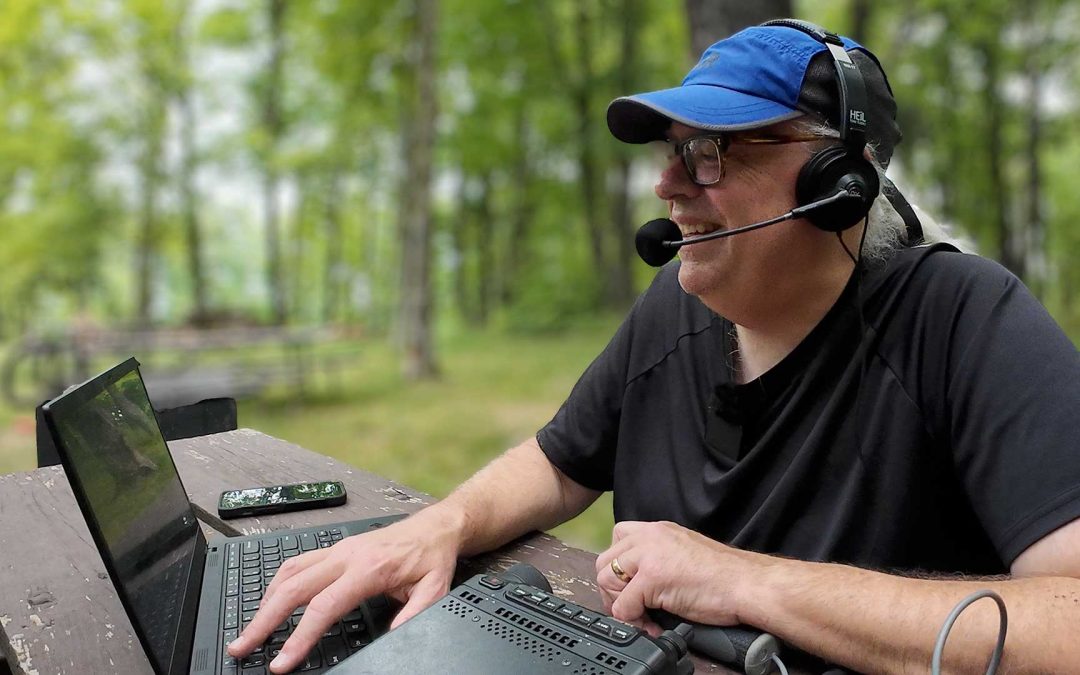
If there is one ham radio accessory that I couldn’t live without, it’s probably my headset. I love the convenience of not holding a microphone, and as my ears get older, I really appreciate how the headphones help me pull out weak signals. I can get by without my antenna analyzer, I can ditch the computer and log with paper, but the headset has become indispensible for me.
This week’s video, All New Heil BM-17 Headset! It this POTA’s best Accessory? takes a look at Heil Ham Radio’ newest headset and wonders if its a good choice for the portable ham radio operator: https://youtu.be/1D9LLgaXNK0
Heil Ham Radio BM-17 Dual Side Headset (Dynamic Element): https://dxengineering.pxf.io/k4M4bn
Heil Ham Radio BM-17 Dual Side Headset (IC Electret Element): https://dxengineering.pxf.io/0GOKrR
Heil Ham Radio Adapter Selector: https://heilhamradio.com/compatibility/
Heil AD-1-YM 8-pin modular adapter (Amazon): https://amzn.to/3N8b0N9
Heil AD-1-YM 8-pin modular adapter (DX Engineering): https://dxengineering.pxf.io/EELM1n
RJ45 Extension Cable 1 foot: https://amzn.to/3N8ZgtS
Build a hand switch for your headset: https://youtu.be/b5Wu8BlrSF0
KJ6ER Challenger Off Center Fed Vertical Antenna: https://bit.ly/KJ6ERChallenger
Visit Greg’s new website: https://kj6er.net/
Why monitoring your ALC is important
ALC, or Automatic Limit Control is a feature built into all modern ham radio transceivers. It’s function is to protect the final amplifier stage by cutting or limiting audio input if it is too strong. If you speak too loud into the microphone, the ALC will kick in and clip the high parts of your audio. If you speak too soft, your signal will barely have any real power.
Single Sideband transmission strength is a function of audio output. Pressing the push to talk on the microphone engages the transmitter, but unless you say something into microphone, no power is output. Which means without some type of limiter protection, speaking too loudly into the microphone could overdrive the amplifier, possibly causing it to fail.
That’s where ALC comes in.
Your ALC is set by adjusting the microphone gain on your transceiver. But there are other things that can affect the ALC, like microphone choice, placement, speaking voice, compressor, and processor settings on the radio. ALC can be personal to the operator, and what works for one person may not be the same for another.
For example, I’ve mentored many a new ham at field day. And noticed often they had trouble breaking a pileup. The root cause was often speaking too softly into the microphone. With a little coaching on proper voice technique and an adjustment of the mic gain, they were soon quickly making contacts.
As a new ham I had the opposite problem. I will often project into the microphone. it’s a side effect of my public speaking, debate, and high school choir experience. A more experienced ham saw that I was overdriving the ALC, and had me adjust the gain and watch the meter so that I could better regulate my voice.
In cases, like this week’s video, introducing a new microphone into your audio chain, may require you to monitor and adjust your microphone gain settings for proper ALC.
For the voice modes, set your mic gain so that the ALC meter is between 25 and 50% of full deflection on the scale. Turning on the compressor or processor can affect ALC, so you may have to adjust the gain slightly to compensate.
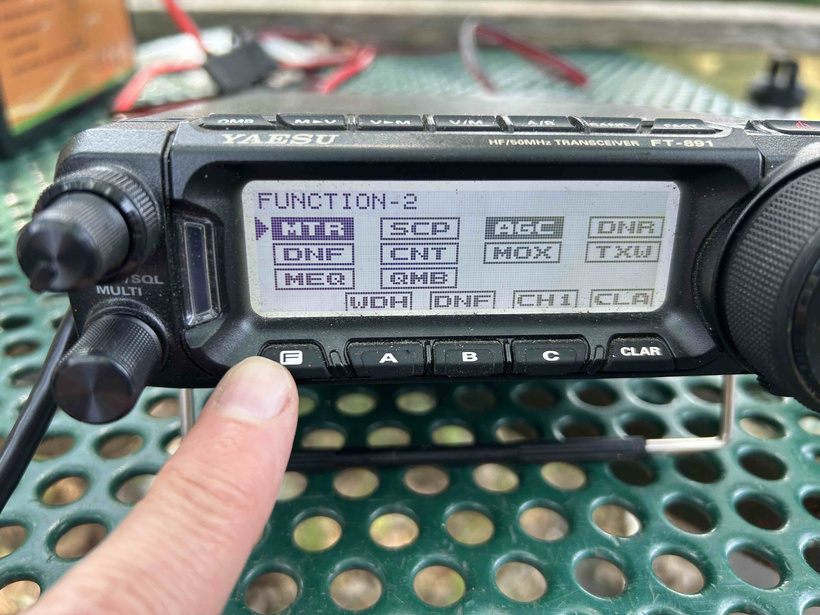
If you are an Yaesu FT-891 user like me, you view your ALC meter by pressing the [F] function button until you get to the menu screen that says [MTR]. Rotate the selector knob to MTR and press the selector in. Then rotate the selector to the [ALC] setting. You will see the meter graph with a horizontal line that stops at about halfway across the screen. For the voice modes, monitor the meter so the bar graph runs between 25 – 50% of the meter scale and that doesn’t go beyond that halfway point at your voice’s peak.
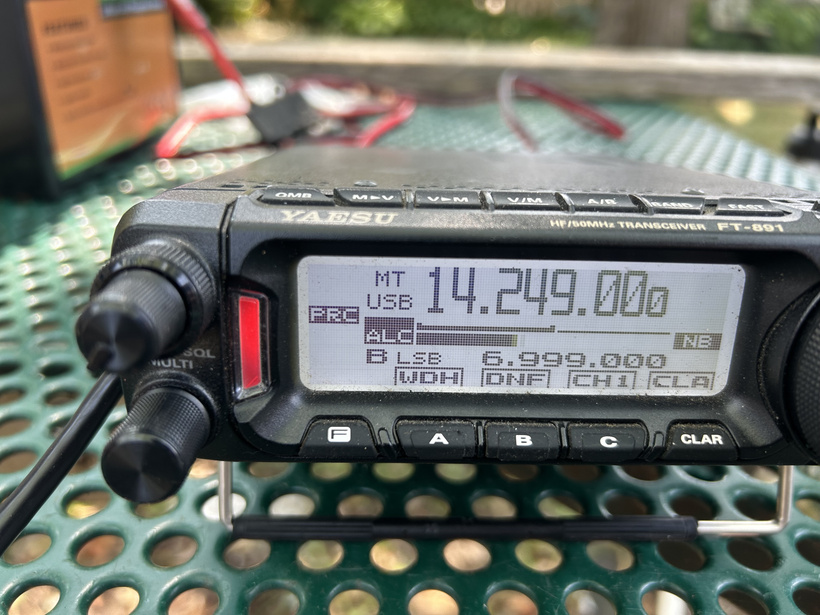
For voice modes, ALC should register between 25 – 50% of the meter.
If you notice the ALC is consistently low or high, you may want to adjust the mic gain setting. On the FT-891 this is menu 16-07 [SSB MIC GAIN]. Adjust the gain levels up or down until you are satisfied with the ALC. This is where having a dummy load to transmit into is really helpful.
For other transceivers, the process is similar, oftentimes easier as larger rigs have dedicated front panel buttons for mic gain and meter selection. There are a wealth of instructions and videos on how to do it, just search for (transceiver model) ALC setting.
On a side note, your ALC will be different for digital operation than phone. That’s because the digital FT8 signal is already maxing out the audio envelope. You’ll want to reduce your Mic Gain so that the ALC meter is barely moving. This gives you the cleanest output audio for your transceiver.
Finishing Up
Monday July 27 we had some very significant severe weather move through the state of Wisconsin. I know it made the national news and I got a few inquiries if me and my family where safe. Fortunately the weather just missed us, the storm cells tracked about 20 miles to the east of our home in Wausau. Unfortunately this weather system generated an EF3 tornado that struck the Fox Valley cities of Neenah and Menasha about 90 miles away from me. This is a fairly dense urban area. The devastation was incredible, but there appears to be no loss of life.

WBAY TV-2 Green Bay, WI
I know that Outagamie and Winnebago county ARES/RACES teams are providing amateur radio support. The recovery process will be long as the community picks up the pieces. If you want to help, there is a resource site set up at : https://foxcitiestornado.com/
I’m heading out this weekend for a little camping R&R. I’ll be my friend Travis in the Chequamegon-Nicolet National Forest. Look for me on the air at US-4533 all weekend long. I’m also hoping to get some low band operation in at the park and maybe trying a new antenna. We’ll see what happens.
I hope to get you in the log soon
Michael
KB9VBR

Recent Comments